Floating widget (app embed)
What it is
The floating widget is a pinned overlay that stays on screen as the shopper scrolls. On Shopify it's a theme app embed, so you turn it on once and it appears on the pages you choose — no block placement needed.
Turn it on
- In your Shopify admin go to Online Store → Themes → Customize.
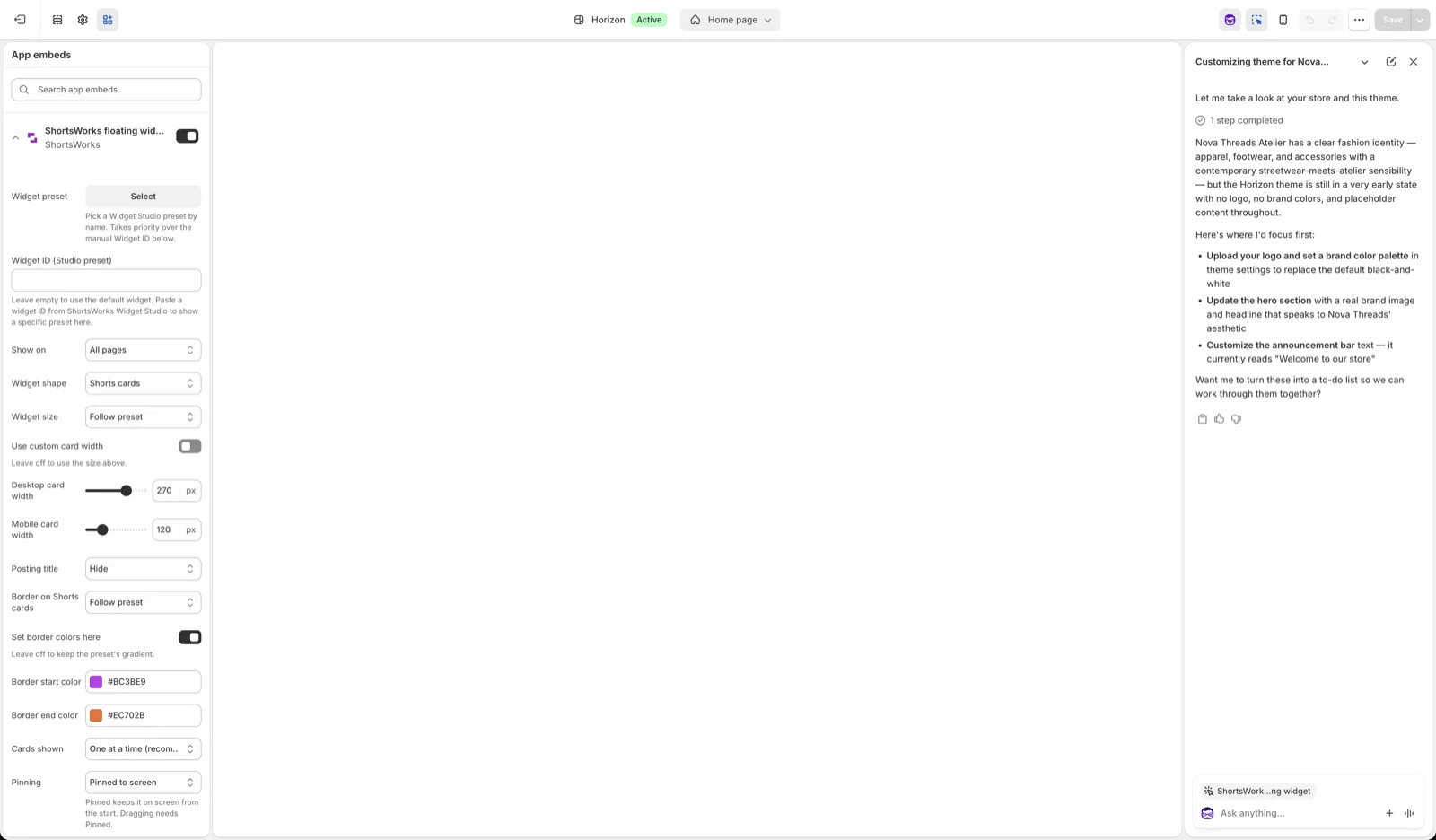
- In the theme editor, open the App embeds tab (the icon in the left toolbar).
- Find ShortsWorks floating widget and toggle it on.
- Click Save (top right).
Settings
| Setting | What it does |
|---|---|
| Widget preset / Widget ID | Point the embed at a Widget Studio preset. Leave empty to use the default widget. The preset takes priority over the manual Widget ID. |
| Show on | Which pages the overlay appears on — All pages, Home, Product pages, and so on. |
| Widget shape | Story (circular) or Shorts (cards). |
| Widget size / card width | Follow the preset, or set desktop and mobile widths yourself. |
| Short title | Show or hide the title under each item. |
| Border on Shorts cards / colors | Apply a brand-color border; set start and end colors for a gradient. |
| Cards shown | One at a time, or several. |
| Pinning | Pinned to screen keeps it fixed as an overlay. Leave off to let it sit inline. Dragging to reposition needs Pinned. |
On the live store
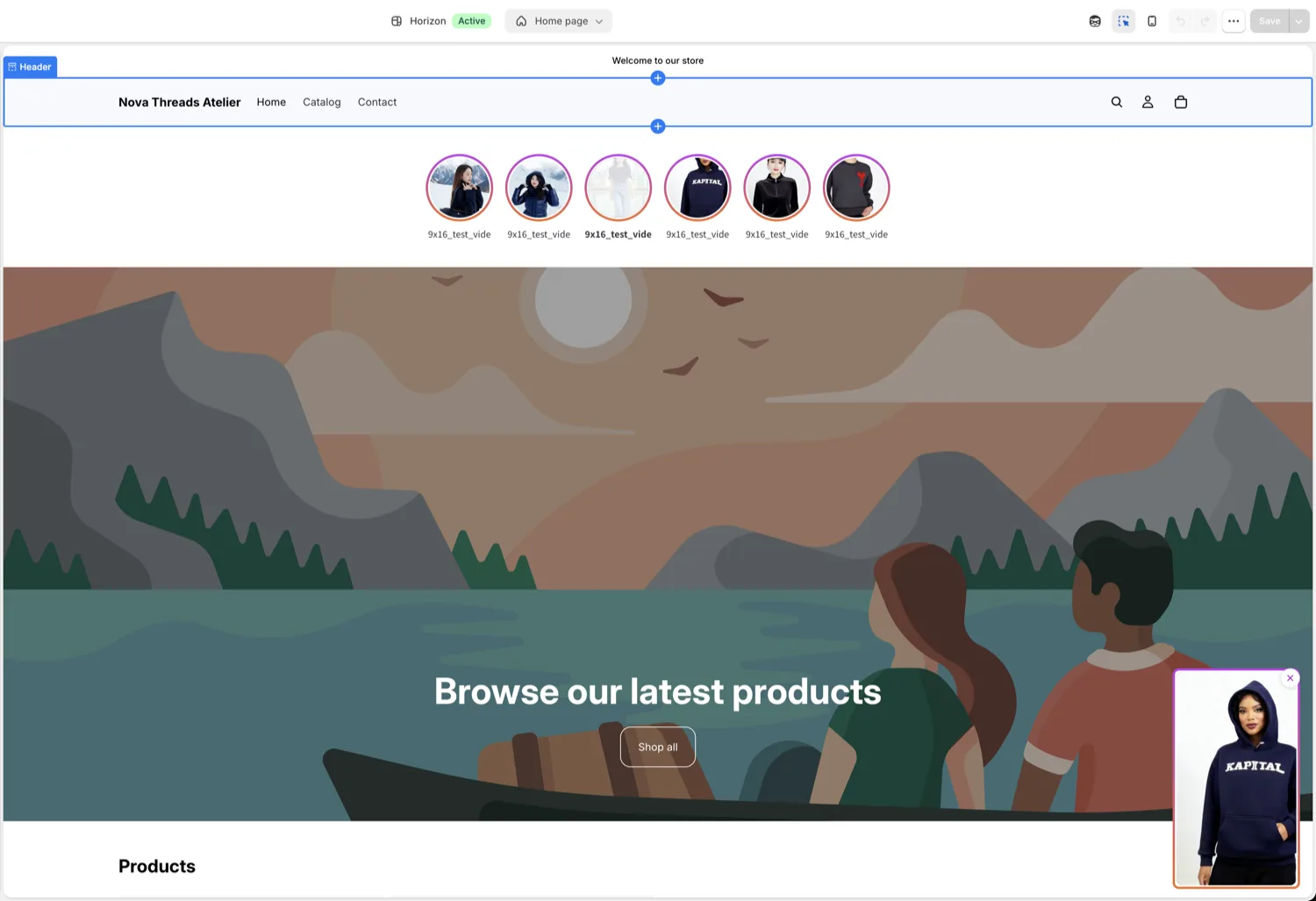
Once on, it appears as a pinned overlay in the bottom-right corner (the hoodie short below). The circular row at the top is a separate feed block.
When to use it
The floating widget is best for a site-wide, always-visible entry point — a small pinned shorts player that follows the shopper on every page. For content placed inside a specific page (a row on the home page, a block on the product page), use widget blocks instead.