Mobile app
Shoot and publish from your phone
The ShortsWorks mobile app lets you record, edit, tag products, and publish shorts to your store — all from your phone. It uses the same account as your store: on Shopify you sign in with a one-time code from your admin, no password needed. See Signing in on the mobile app.
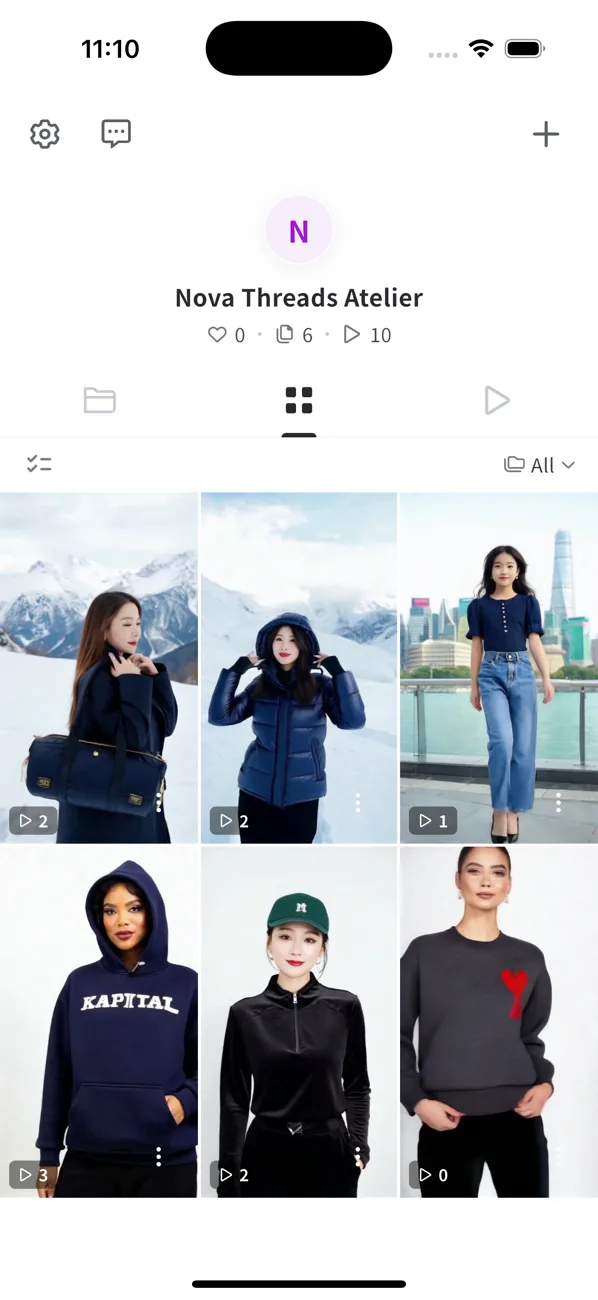
- Profile header — your store name with likes · shorts · plays.
- Tabs — drafts, the shorts grid, and published content.
- ⚙️ Settings / 💬 Support (top-left), + Create (top-right).
Creating content
Tap + to open the create menu.
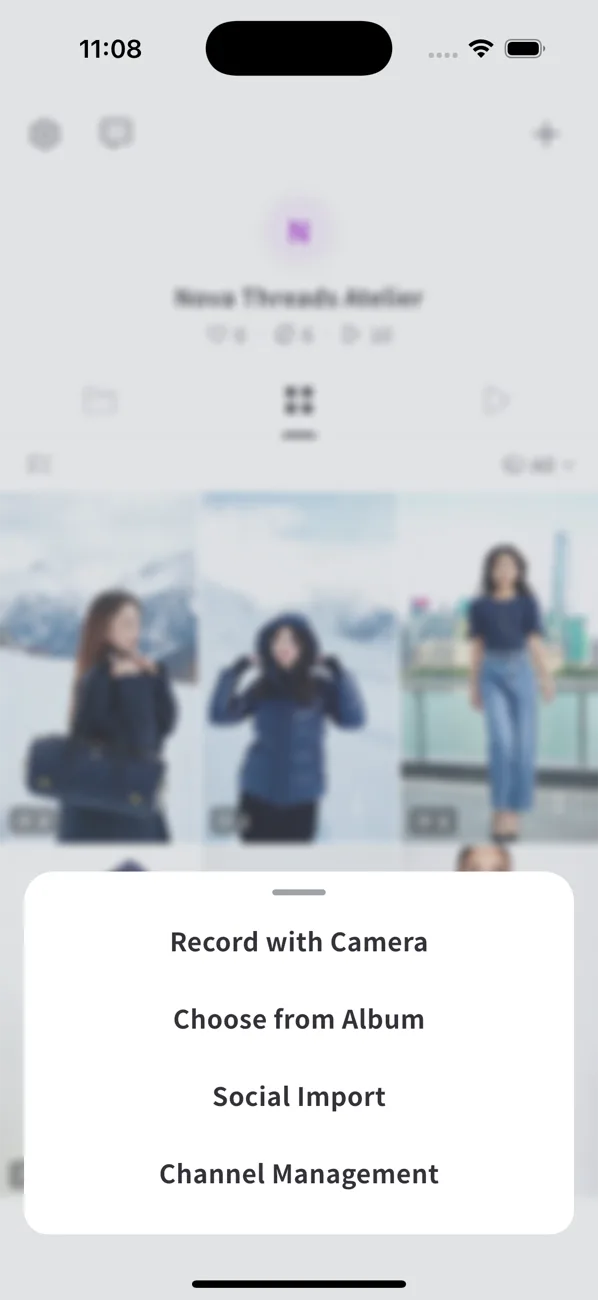
| Option | What it does |
|---|---|
| Record with Camera | Shoot a new video or photo in the app, then edit and tag. |
| Choose from Album | Pick existing videos/photos from your phone. |
| Social Import | Paste an Instagram / YouTube / TikTok link to import. See Importing from a social URL. |
| Channel Management | Subscribe to a social account for auto-collection. See Channel subscriptions. |
What you can do
- Record and upload a video · Take and upload a photo
- Upload an existing video from your album
- Add stickers and text · Tag products
- Set the short thumbnail · Drafts and preview
Do I need the mobile app?
No — you can import and manage everything from the ShortsWorks app in Shopify too. The mobile app is the fastest way to shoot and tag on the go. See Is the mobile app required?