Library
What is the Library?
A content vault where you keep your social videos (Instagram · YouTube · TikTok) and your own portrait videos in one place, ready to publish to a widget. It's the Library tab in the app.
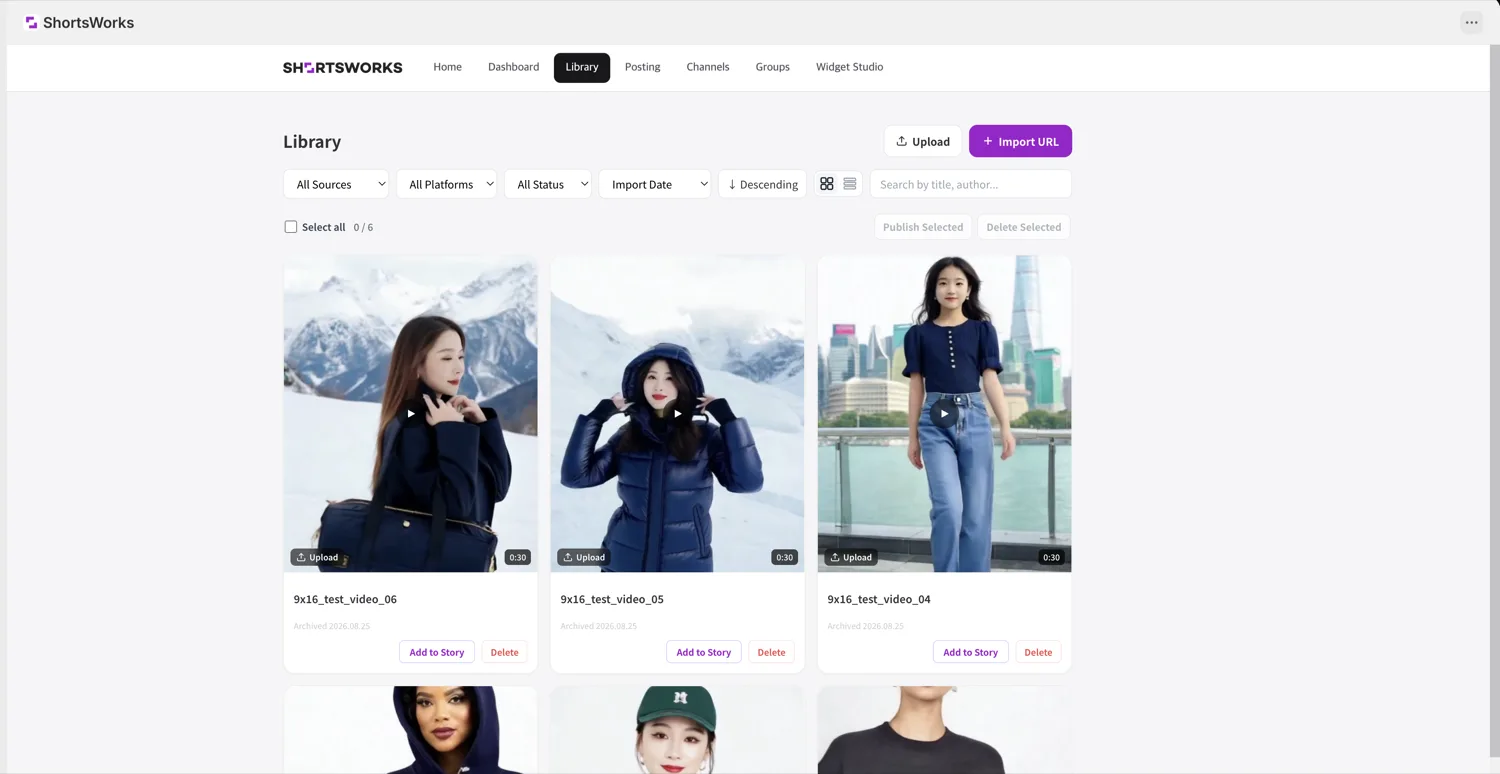
There are two ways to add content.
Import by URL
Pull in a video that's already on social, by link alone.
- Click + Import URL at the top right.
- Paste a YouTube · Instagram · TikTok video URL.
- Turn on Auto-publish to publish to your chosen group's widget as soon as it's saved; leave it off to keep it in the library only.
- Click Import.
Upload a video
Upload a portrait video file you shot or edited yourself.
- Click Upload at the top right.
- Drag a file in, or click to pick one.
- Click Upload.
Upload format
Portrait videos only. MP4 · MOV · WebM · MKV, up to 100MB, 60s or less.
Add to a Short (publish)
The Library is where all your imported content is kept — nothing here is shown on your store yet. Click Add to Short on a card to turn that content into a Short and publish it to a widget — start a new Short, or append it to an existing one. The same content can go to several widgets. Manage the status of what's published (Published · Draft · Hidden) under Shorts; for the widget/group model, see Widget Studio and Groups.
- Filter / search — by source, platform, status, and import date; search by title or author.
- Sort / view — newest or oldest, grid or list.
- Bulk actions — select several to publish or delete at once.
To collect new videos automatically
To auto-fill the library with new content from an account, use Channel subscriptions. URL import is one video at a time; channel subscription pulls in an account continuously.