Importing from a social URL
Already have a video on Instagram, YouTube, or TikTok? Import it by pasting the link — no re-uploading.
- Tap + → Social Import.
- Paste the share URL into Paste a URL.
- Leave Auto-publish on to publish as soon as the import finishes, or turn it off to keep it in your library only.
- Tap Import.
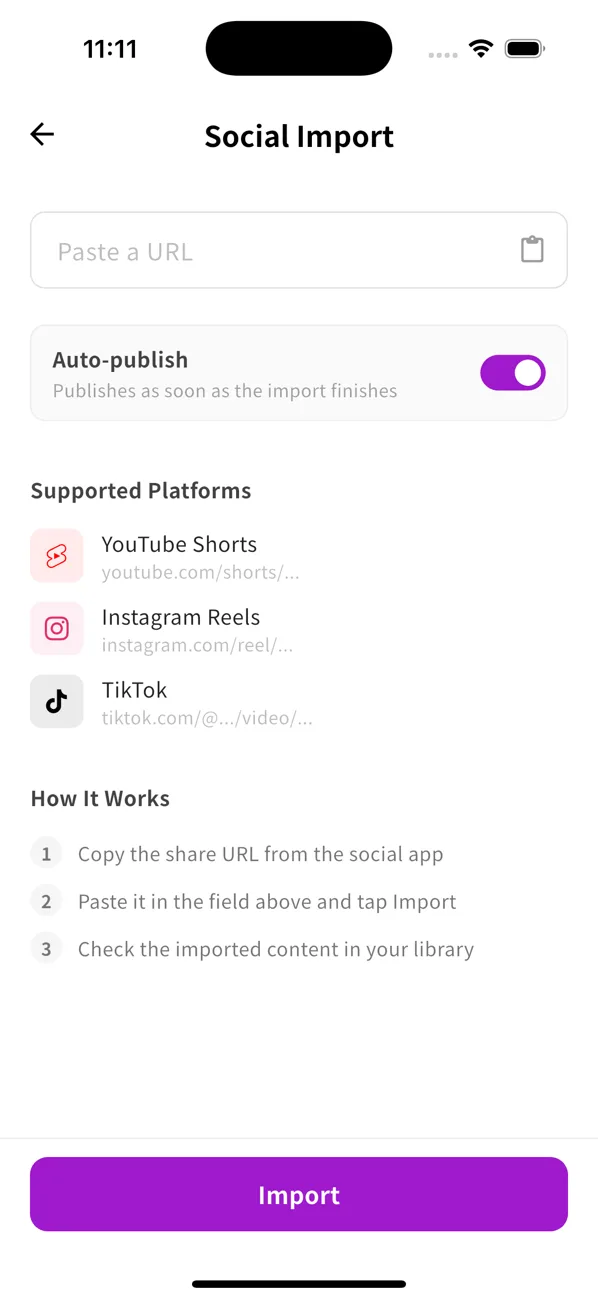
Supported platforms
| Platform | URL |
|---|---|
| YouTube Shorts | youtube.com/shorts/… |
| Instagram Reels | instagram.com/reel/… |
| TikTok | tiktok.com/@…/video/… |
How it works
- Copy the share URL from the social app.
- Paste it in the field above and tap Import.
- Check the imported content in your library.
Import many at once
To auto-collect new posts from an account instead of one link at a time, use Channel subscriptions.